
Arguably, one of the cleverest decisions Apple has made for the iPhone Duo launch was to create a smooth transition animation between the iPhone's two states: folded and unfolded.
While it serves no practical purpose, the animation caught everyone's attention and quickly became one of the most popular topics around the iPhone Duo's launch. Some even tried recreating it for Samsung's Folds.
Samsung's new Galaxy Z Fold 8 and Fold 8 Ultra don't have such lavish animations for the folding/unfolding action. But what they do have is a set of options that allow users to change how apps behave when they transition from the main to the cover screen.
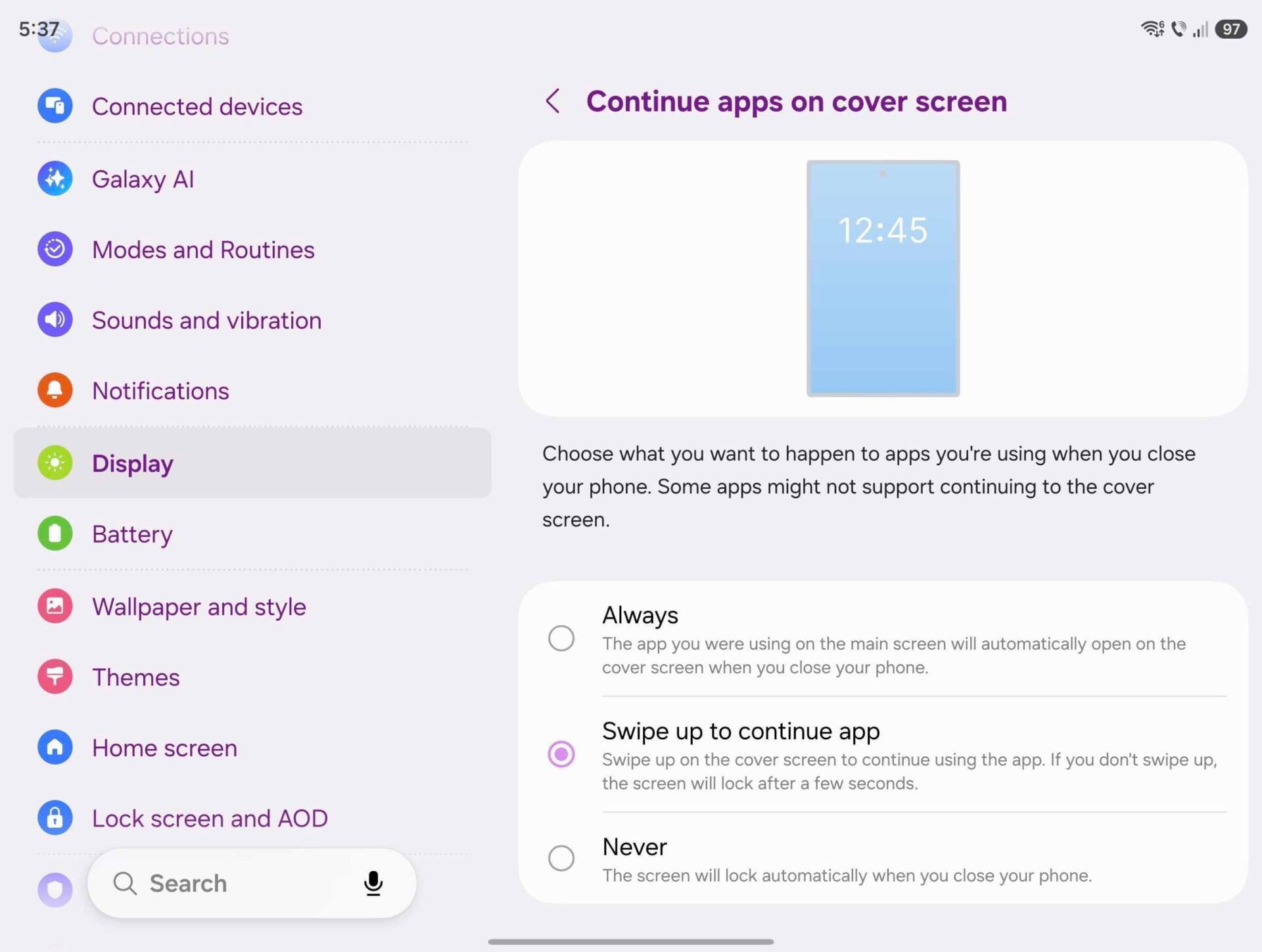
These are the three settings for display continuity on the latest Galaxy Z Fold 8 models running the latest firmware version, One UI 9:
- Always: The app you're using on the main screen will automatically open on the cover screen when you fold the phone.
- Swipe up to continue app: The app can transition to the cover screen only when instructed by closing the phone and swiping up on the cover screen.
- Never: Regardless of which app you're using on the main screen, it will never transition to the cover screen when you fold the phone. Instead, your Galaxy Z Fold will lock automatically when folded.
You can access them by navigating to:
- Settings > Display > Continue apps on cover screen.

Most Galaxy Z Fold users find the Swipe option ideal. It seamlessly combines the best of both worlds. Simply swipe up when prompted to continue using the app, or ignore the swipe-up prompt to keep your Fold locked after folding.
There are no such options for when you are transitioning from the cover to the main screen. Apps that run on your cover screen will almost always be reopened on the main screen when you unfold the phone.
Do keep in mind that many Android apps lack on-the-fly UI scaling and resizing. They will almost always automatically restart to adapt their UIs to the different screen once you unfold your Galaxy Z Fold. This behavior may improve with future Android updates, but time will tell.


Post a Comment