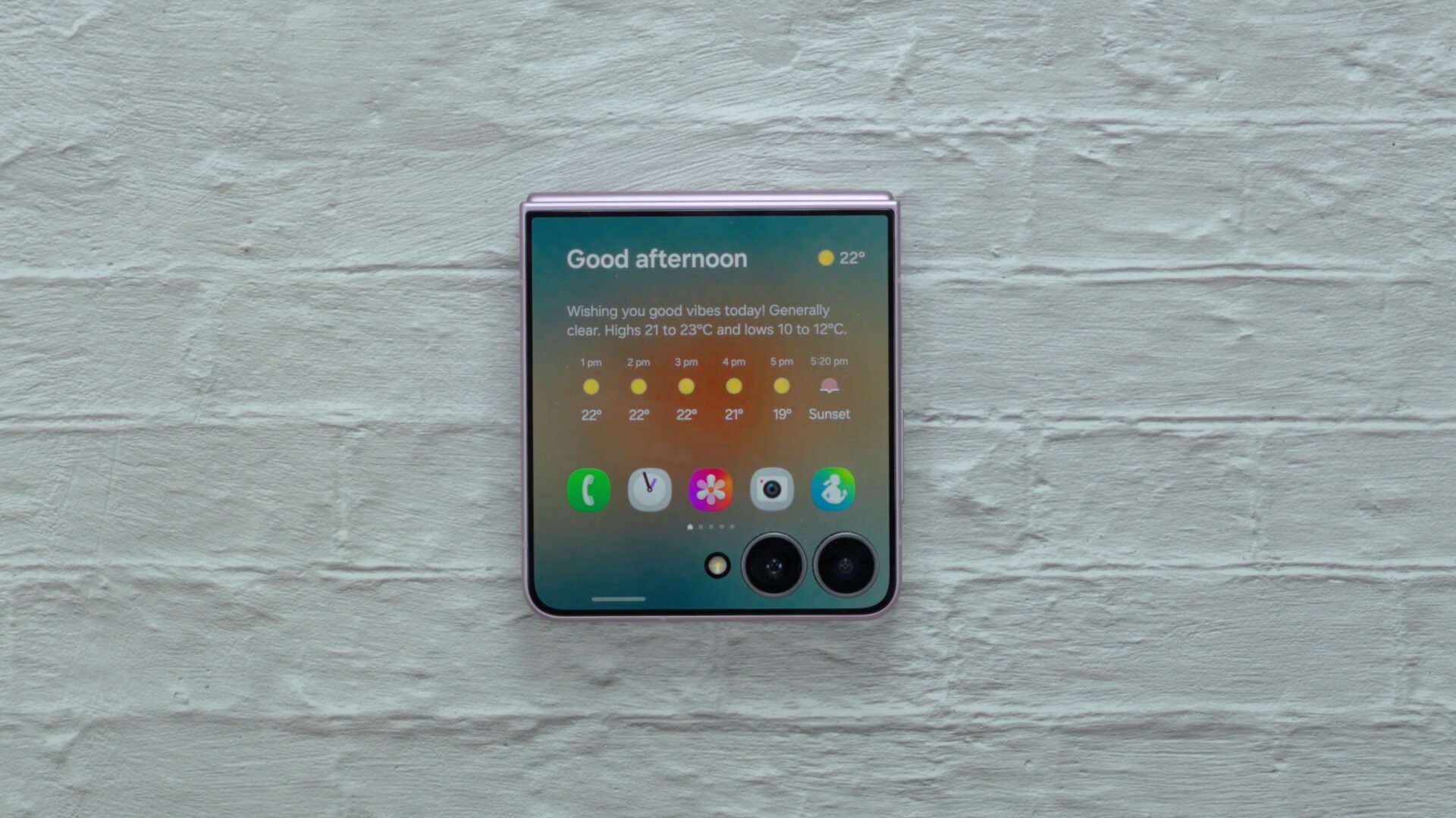

The Galaxy Z Flip 8 isn't a huge hardware upgrade over the Galaxy Z Flip 7. The cover screen is the same size, the overall footprint is similar, and Samsung has mostly focused on making the phone thinner and lighter.
But that doesn't mean the experience hasn't changed substantially. One UI 9 makes much better use of the Flip's form factor, particularly its cover screen. It makes the Galaxy Z Flip 8 feel considerably more refined as a result.
Samsung has essentially turned the cover screen into something that works much more like the main display.
The cover screen finally feels like a proper interface
One of the first things you notice is the new home screen. Unlocking the phone can now take you directly to a card containing Now Brief and your favorite apps, instead of simply leaving you on the unlocked lock screen.

You can disable this and have the phone go directly to your widgets instead, but the new home screen makes for a convenient starting point and provides quick access to frequently used apps and information.
Samsung has also changed how notifications and the quick panel work.
Previously, you accessed notifications by swiping right on the cover screen. With One UI 9, you swipe down to see notifications and then swipe left to reach the quick panel.
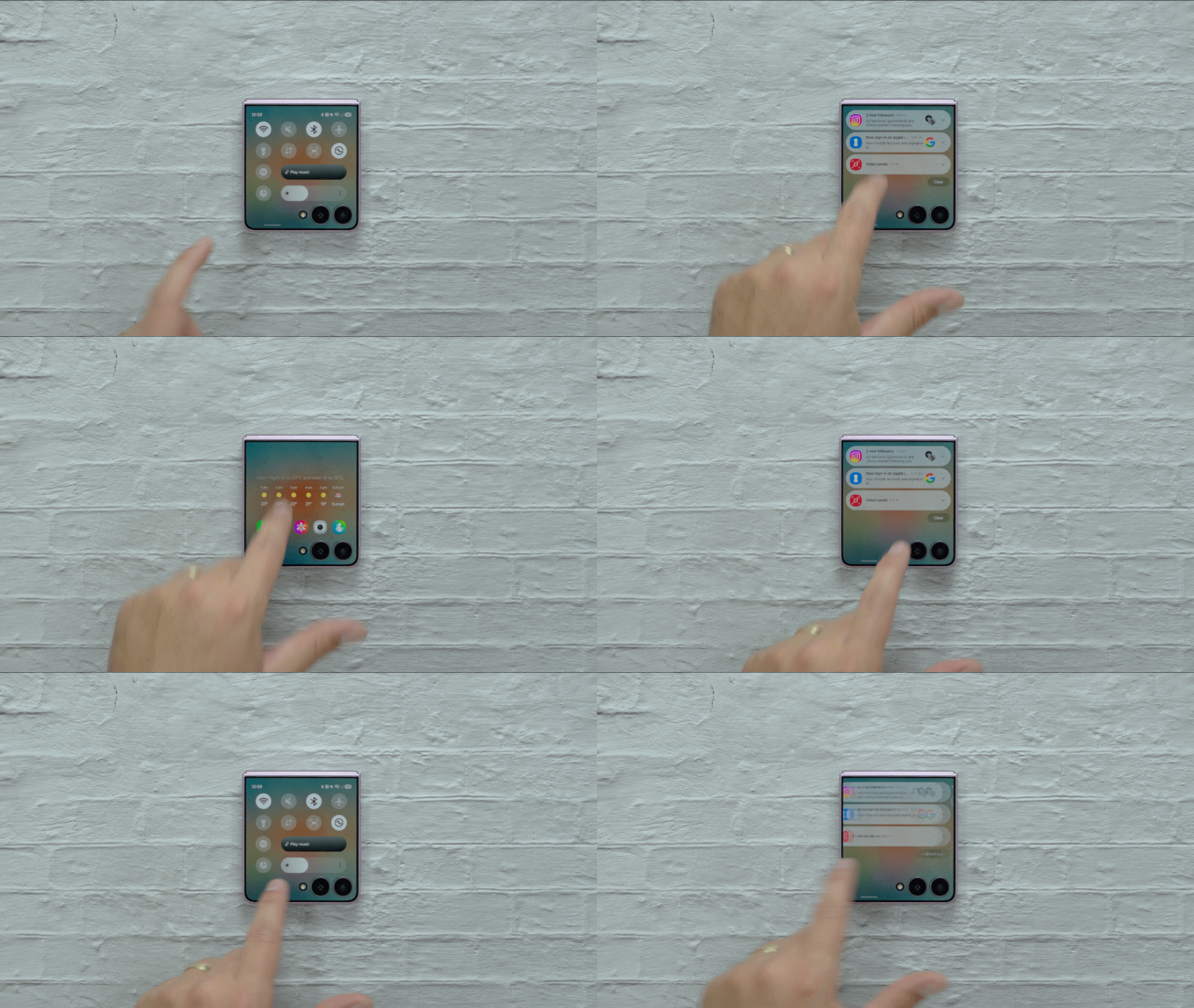
It's much closer to how these things work on the main display, which makes the cover screen feel more familiar and means there's less of a learning curve when switching between the two screens.
That same philosophy extends to how you access apps.
The cover screen now has a proper app drawer that you can access by swiping up. Apps that Samsung officially supports are shown alongside apps enabled through the Labs menu in Settings > Advanced features.

If you install the Good Lock app and its MultiStar module, you enable any app to run on the cover screen, and they all show up in this app drawer. Apps that aren't optimized for the cover display may not look perfect, but Samsung will still attempt to make them fit.
One UI 9 also brings proper multitasking controls to the cover screen. You can swipe up and hold to see the apps you've recently used and jump between them, just as you would on the main display.

These may sound like small changes individually, but together they make the cover screen feel much less like a collection of widgets and shortcuts and more like an extension of the phone itself.
Samsung has made widgets better, too
One UI 9 also gives you more control over widgets without requiring you to unfold the phone, something fans have been requesting for a long time.
You can now add widgets directly from the cover screen, which previously required opening the phone. Samsung has expanded the selection as well, with additions including widgets for Bixby and Samsung Internet.

Samsung has also improved app shortcuts. Instead of taking up an entire widget panel, your favorite apps can now sit inside a smaller card so you can add other widgets to the same home screen page.
You can also customize the five app shortcuts shown on the new home screen.
All of this makes better use of the limited space available and reduces the number of times you need to open the phone just to change something on the cover display.
One UI 9 has some clever Flip-specific camera features
The improvements aren't limited to the cover screen.
One UI 9 adds a vertical split option to Dual Recording, allowing the front and rear cameras to record simultaneously in a vertical layout. The two camera feeds can also be saved as separate files with their audio synchronized.

Horizontal Lock, which Samsung introduced on its Galaxy S flagships earlier this year, is supported as well. On the Flip 8, it can work together with FlexCam. With the phone partially folded, you can have the preview on one half of the display and the camera controls on the other while Horizontal Lock keeps the footage level.
Then there's Mirror View in Camera Assistant.
With the phone closed, Mirror View can use the cover display and camera as a digital compact mirror. You can't take regular photos or switch to other camera modes while using it, but you can enable a ring light to illuminate your face and capture a temporary snapshot so you can take a closer look.

The Galaxy Z Flip 8 gets the broader One UI 9 additions as well, including new Galaxy AI functionality such as My FanCam, and custom Now Brief cards.
But it's the changes designed around the Flip — particularly its cover screen — that stand out the most. Samsung may not have changed much of the Galaxy Z Flip hardware this year, but One UI 9 shows there was still plenty of room to improve how that hardware is used.


Post a Comment