
Samsung recently released the second One UI 8.5 beta update for the Galaxy S24 series. Although it was primarily a bug-fixing release that introduced only two new features, users can expect to see several more additions with the stable One UI 8.5 update.
Galaxy S24 could get four Galaxy AI features with the One UI 8.5 update
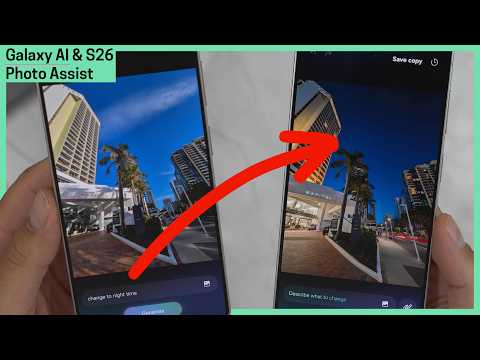
An internal One UI 8.5-based software build with firmware version S928BXXU5DZD9 for the Galaxy S24 Ultra was recently leaked. It revealed that the update includes four new Galaxy AI features: Advanced Audio Eraser, Call Screening, Creative Studio, and an improved version of Photo Assist.
- Advanced Audio Eraser: This feature allows you to reduce the volume of unwanted sounds within apps like Instagram, Netflix, and YouTube. You can activate it directly from the Quick Panel and manually adjust the level of noise reduction.
- Call Screening: It uses on-device AI to answer calls on your behalf when you are busy or prefer not to talk. The AI asks for the caller's identity and the purpose of the call. It then saves a recording and provides a transcription so you can review the details when you are free.
- Creative Studio: This new app that allows users to design drawings, invitation cards, profile cards, stickers, and wallpapers. You can either doodle or use text prompts to generate content and apply various artistic effects. However, this app is currently only available on devices equipped with an S Pen.
- Photo Assist: The improved version of Photo Assist in One UI 8.5 enables image editing via text prompts. Users can import objects or people from other images and describe exactly how they want to merge them into the current project.
Samsung will likely release a few more One UI 8.5 beta versions before rolling out the stable update to the Galaxy S24 series. We expect the stable version to be released sometime next month.


Post a Comment